Create clean 3D car bodies from blueprints. Faster.
FSX3D Blueprint Tool helps you turn prepared blueprint images into editable low-poly car body meshes inside Blender. Import your reference image, create contours, generate the volume, then apply your UV mapping and final texture.
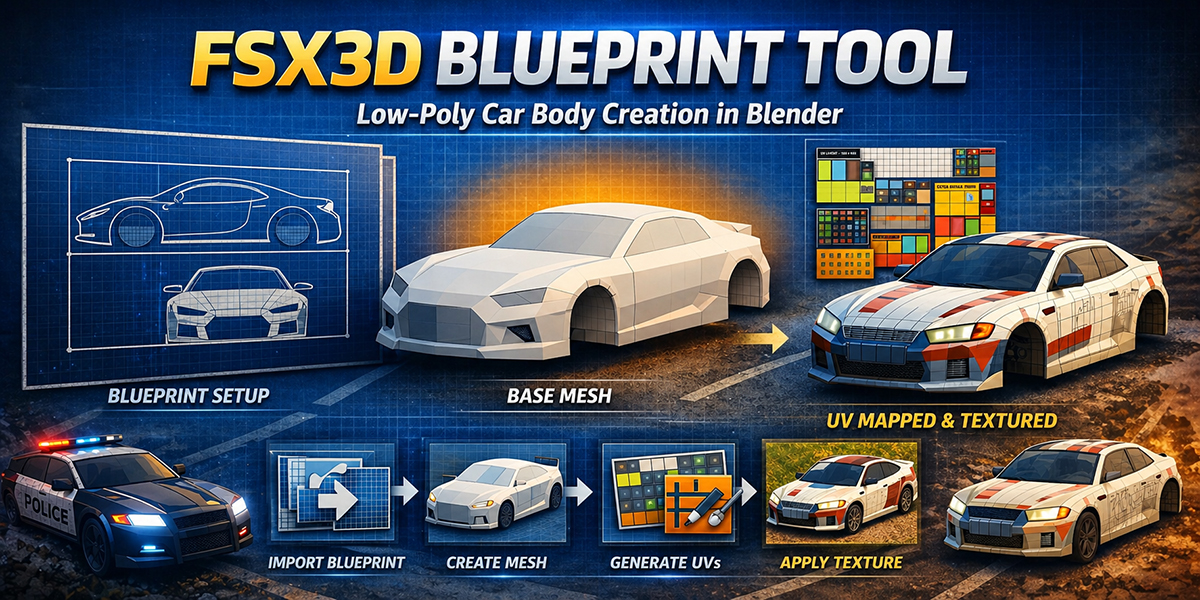
A practical Blender workflow for faster vehicle creation.
Designed to speed up the boring setup work, while keeping the final mesh editable inside Blender.
Reference Image Setup
Load your prepared blueprint sheet and align it with the generated vehicle setup.
Contour Creation
Create contours from the blueprint views to define the main car body shape.
Volume Generation
Generate an editable low-poly base mesh directly inside Blender.
Material + UV Mapping
Assign your final texture and run automatic UV mapping for the generated vehicle.
Asset Library
Add extra assets such as wheels from the built-in library workflow.
Fast Iteration
Create more vehicle variations in less time for games, scenery and simulation projects.
From blueprint to low-poly vehicle.
Show the add-on interface, generated mesh, final textured result, and the blueprint sheet used for the workflow.
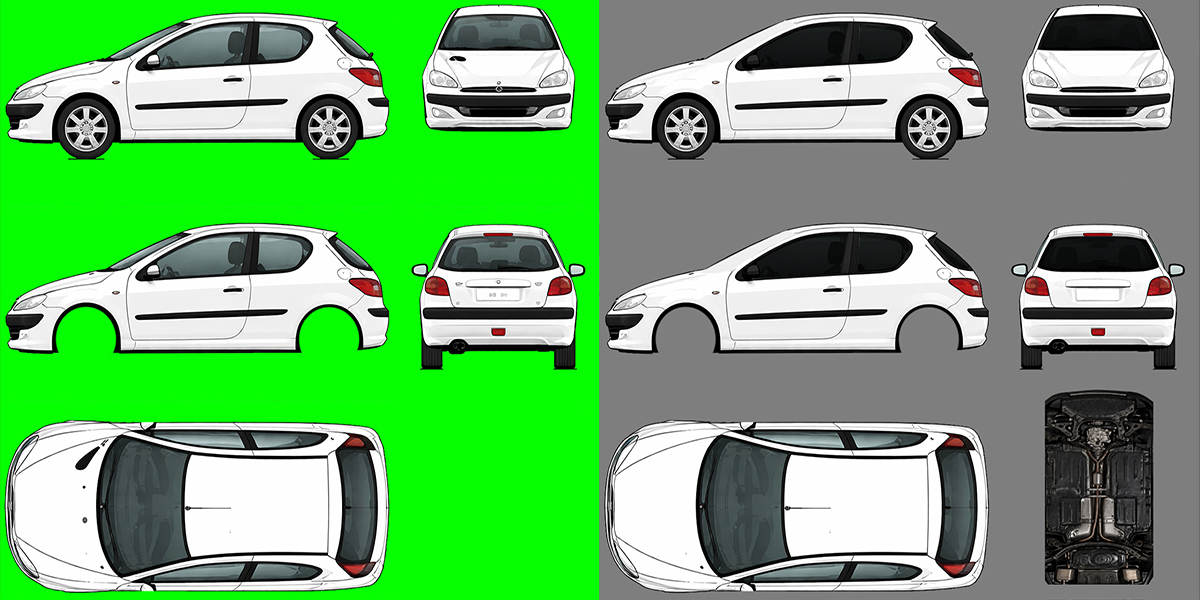
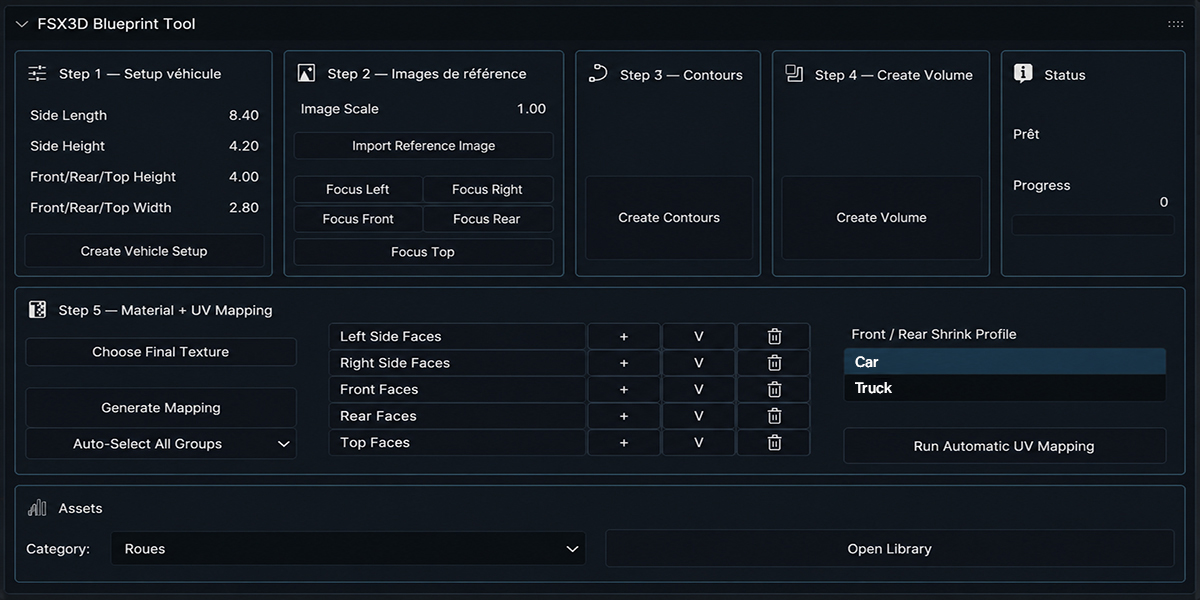
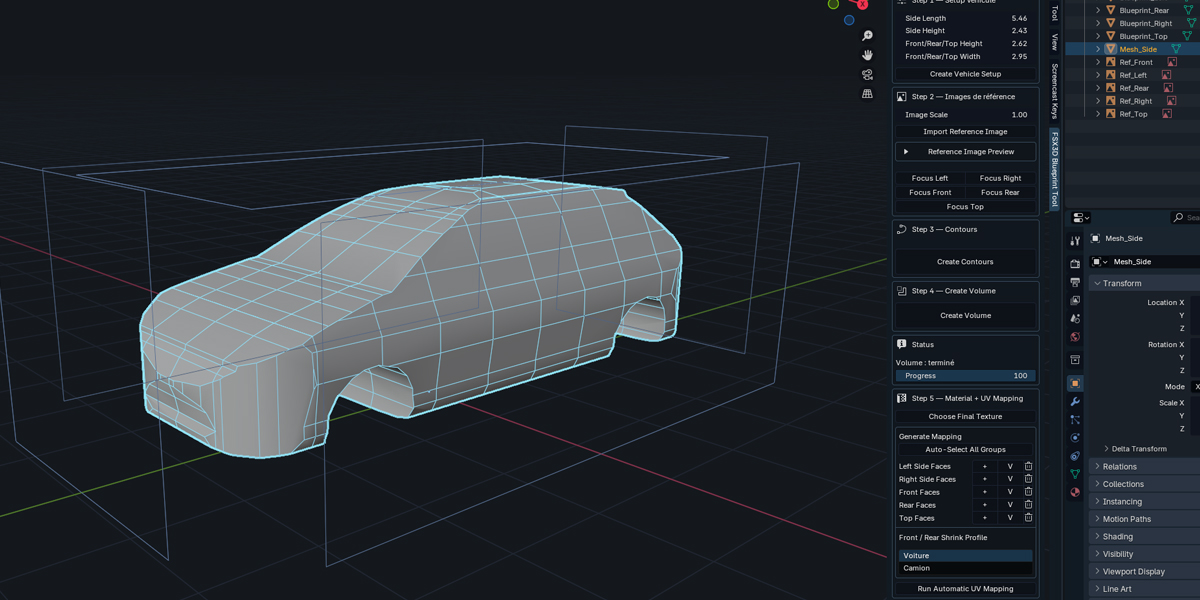
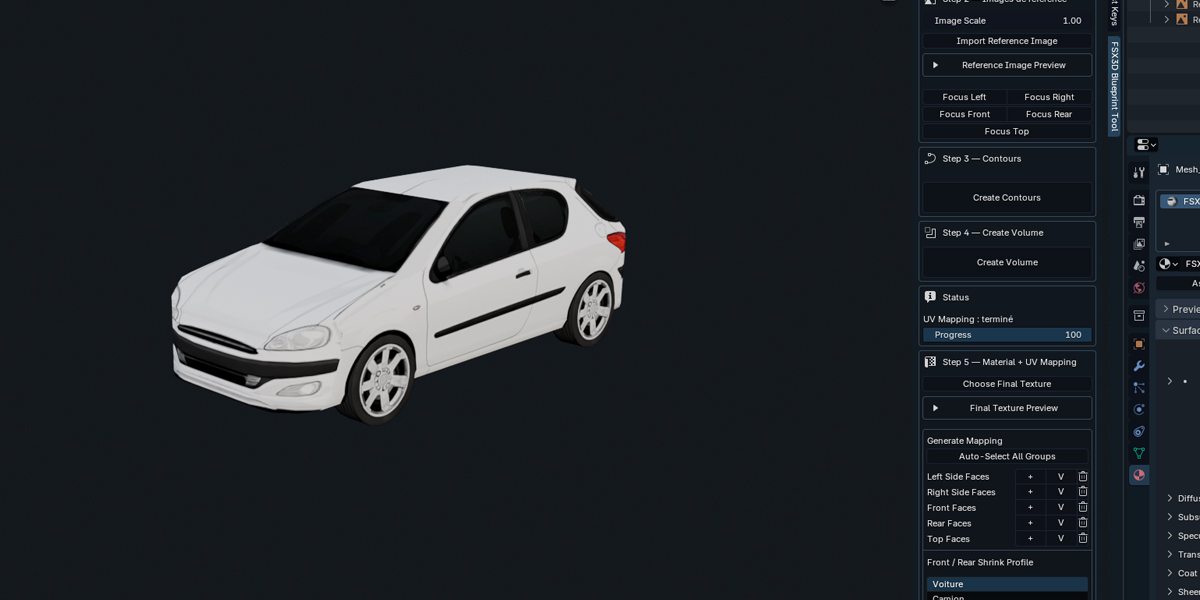
Watch the add-on in action.
Real workflow steps from the add-on.
Setup Vehicle
Set side length, side height, front/rear/top height and width, then create the vehicle setup.
Reference Images
Import the reference image, adjust image scale, and focus each blueprint view.
Create Contours
Generate contours from the blueprint views to prepare the base shape.
Create Volume
Create the 3D volume and generate the editable mesh inside Blender.
Material + UV Mapping
Choose the final texture, generate mapping, auto-select face groups, and run automatic UV mapping.
Build low-poly vehicle assets faster with FSX3D Blueprint Tool.
A practical Blender add-on for artists who want faster blocking, cleaner proportions and a smoother vehicle creation workflow.